A · The moment
Open on the strongest approved moment, then give the context it needs.
Approved examples · Shared when the campaign is funded.RUCKUS / Campaigns / Wipe launch / Guide

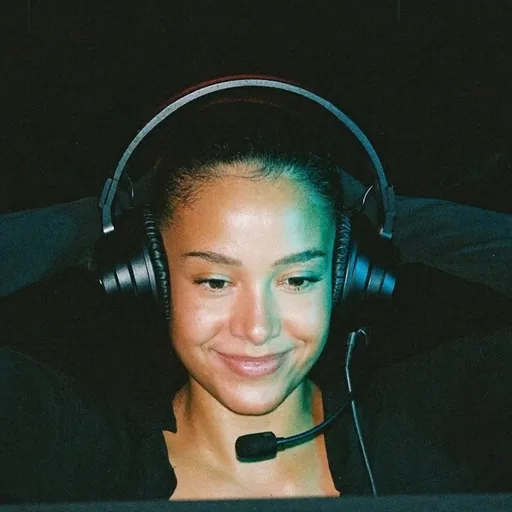 A fictional GTA V RP serverExampleA RUCKUS campaign example · AI-made face
Show what a new player can actually do on an operating GTA V roleplay server after its relaunch.
Every feature shown must be available on that server when the campaign opens.
Use your own recording only when the brief permits it and you control the rights. Otherwise, choose the approved source pack. Give the moment your own hook, narration, captions and edit.
Connect your public posting account in Content Rewards. If you make a dedicated fan page, say it is a fan page and use the campaign's approved profile image. Prepare your profile, study the niche and interact naturally. A suggested warm-up is preparation advice, not a required waiting period.
Brand assets · Shared when the campaign is funded.The approved source pack, shared when the campaign is funded
Open on the strongest approved moment, then give the context it needs.
Approved examples · Shared when the campaign is funded.Use a beginning, a turn and a payoff from the same approved recording.
Approved examples · Shared when the campaign is funded.Explain one verified point in your own voice, backed by approved footage.
Approved examples · Shared when the campaign is funded.Compare two permitted moments without inventing a result or changing their meaning.
Approved examples · Shared when the campaign is funded.Post only on the platforms listed in the campaign. Keep the post public, use English captions, and follow the audience and engagement rules in the funded brief. Submit the public link in Content Rewards, then keep the post unchanged until payment settles.
Join on Whop · Shared when the campaign is funded.Actual rate, minimum, per-clip cap and available budget: set when a buyer funds the campaign. This example takes no submissions.
CPM example · not this campaign's offer. At an illustrative $1 per 1,000 eligible views, 50,000 eligible views calculate to $50. With an example $40 per-clip cap, the illustrated gross is $40 before provider fees, assuming the minimum is met and enough reward funds remain. This is not a promise of views or earnings.
Actual rate, minimum, cap, funding and earning window are set in the funded Content Rewards brief. At that illustrative rate, an example $5 gross minimum would require 5,000 eligible views per clip. The actual campaign sets its own minimum. This example is not funded, promises no views or payout and takes no submissions. Try these inputs in the CPM calculator.
You must be 18 or older to participate in this Content Rewards campaign. You must also meet the platform, payout-country and campaign requirements.
Join the RUCKUS hub on Whop, open Content Rewards and connect your posting accounts. Read the funded campaign brief, post an eligible clip and submit its public link. Each campaign agrees its review target and names a reviewer and backup before launch. RUCKUS gives a reason for its decision.
Content Rewards tracks eligible views, applies the campaign minimum and cap, and shows earnings and payout status. The campaign team reviews submissions; nothing auto-approves. Check the campaign and your payout panel for the applicable earning window, provider fees and settlement schedule. Withdrawal through Whop is a separate step; RUCKUS takes no clipper fee.
Content Rewards review and payout guide · Checked 10 November 2026.
Use your own public posting account and connect it in Content Rewards. Follow this campaign's account-niche requirements. Make an unofficial fan or clip page's status clear and use artwork you have permission to use. Prepare the profile, research relevant clips and interact naturally. Any suggested warm-up is preparation advice, not a universal waiting period or promise of reach.
Write captions in English. Aim the edit at the audience named in the funded brief. Any location or engagement floor must be stated before submissions open; this example sets none.
Keep submitted posts public and unedited until their payout settles. Bought or botted engagement ends that account's work on RUCKUS campaigns; RUCKUS gives the reason and reviews an appeal. RUCKUS never charges a clipper to join, train or get paid. Anyone asking you to pay is not us.
Use the free tier of CapCut, InShot, VN, DaVinci Resolve or Shotcut. Paid effects and subscriptions are optional; check the export and music licences before posting.
RUCKUS never charges a clipper to join, train or get paid. Anyone asking you to pay is not us.
Not affiliated with or endorsed by Whop. Content Rewards is a separate company. RUCKUS is in its creator partner program and may earn a referral fee from it.
Not affiliated with or endorsed by Rockstar Games or Take-Two Interactive.
 Join on Whop
 Campaigns on Content Rewards